How to Track AI Traffic in GA4: Channel Group and Regex
One custom channel group, one regex, one drag above Referral. Here is the exact GA4 setup I recommend to see the visits ChatGPT, Perplexity, Claude and Gemini send you, and the AI visibility it cannot measure.

Published · Updated · 10 min read
Contents
- Does GA4 already show traffic from ChatGPT and other AIs?
- How do you create an AI channel group in GA4, step by step?
- Which regex captures ChatGPT, Perplexity, Claude and Gemini traffic?
- Which AI sends the most links to websites?
- Which GA4 reports should you build for AI traffic?
- What AI traffic will GA4 never show you?
- What are the most common mistakes when tracking AI traffic?
- FAQ
To track AI traffic in GA4, you create a custom channel group with one rule: session source matches a regular expression that lists the AI assistants, and you place that channel above Referral. That takes ten minutes, and it turns a vague "AI is sending us visitors" into a number you can follow month after month. It also matters more every quarter: Pew Research Center found that Google users clicked a traditional result in 8% of visits when an AI summary appeared, against 15% without one. Clicks are moving, and you want to see where they go.
I run Sorank, a platform that measures how ChatGPT, Gemini, Perplexity, Claude and Grok talk about brands, and before that I ran an SEO agency with more than 100 clients. Analytics was always the first thing I opened. Below is the exact setup I recommend, the regex to paste, what GA4 will never show you, and what Sorank's public data (498,158 AI answers, snapshot of 2 November 2026) says about which AIs actually hand out links.
Does GA4 already show traffic from ChatGPT and other AIs?
Partly. Visits from ChatGPT, Perplexity, Claude or Gemini arrive with a referrer, so GA4 records them, but by default they used to be buried in Referral next to every blog and directory that links to you. Google has since added an AI Assistant channel to its default channel group, which helps, but you do not control its list and it does not split the AIs the way you may want.
Google's own definition reads: "AI Assistant is the channel by which users arrive at your site from sources like ChatGPT, Gemini, Deepseek, Copilot, or Grok" (Google Analytics Help, default channel group). The same page says that Google's AI Overviews and AI Mode are not in it: they count as Organic Search. So if you open GA4 today, check first whether an "AI Assistant" row appears in your Traffic acquisition report. If it does, you have a starting point. If you want your own definition, per assistant breakdowns, or a clean history to compare with Referral, build the custom channel group below.
How do you create an AI channel group in GA4, step by step?
Go to Admin, then Data display, then Channel groups, copy the default group, add a channel called "AI assistants" with a source regex condition, move it above Referral, and save. You need Editor access on the property. The whole thing takes about ten minutes.
- Open Admin. Bottom left gear icon, then in the Property column choose Data display, then Channel groups.
- Copy the default group. Click Create new channel group, or copy "Default channel group" so you keep all the standard channels. Name it "Channels with AI".
- Add a new channel. Click Add new channel, name it "AI assistants".
- Set the condition. Dimension Source, operator matches regex, and paste the expression from the next section.
- Reorder. Drag "AI assistants" above "Referral". This is the step everybody forgets.
- Save, then open Reports, Acquisition, Traffic acquisition and switch the dimension to your new channel group.
Order is the whole trick. Google's help page is explicit:
"Traffic is included in the first channel whose definition it matches given the current order of channels in the group."Google Analytics Help, "Custom channel groups"
Two limits to know. A standard GA4 property allows 2 custom channel groups (5 on Analytics 360), each with up to 50 channels, so do not waste them. And the good news: according to the same Google page, custom channel groups apply to your reports retroactively, so you see past AI visits the moment you save.
Which regex captures ChatGPT, Perplexity, Claude and Gemini traffic?
Use a source regex that lists the domains of the assistants, wrapped in .* so it works whether GA4 does a full or a partial match. Here is the one I use as a base:
.*(chatgpt\.com|openai\.com|perplexity|claude\.ai|gemini\.google|copilot\.microsoft|copilot\.com|grok\.com|deepseek|meta\.ai|mistral\.ai).*Each part matches a referrer or a tagged source. chatgpt\.com catches ChatGPT visits, and the older chat.openai.com is covered by openai\.com. gemini\.google avoids matching other sites that use the word "gemini". I left out bing on purpose: Copilot in Bing often arrives as Bing organic, and mixing it in would inflate the channel with classic search.
One detail helps a lot with ChatGPT. OpenAI states in its publishers and developers FAQ that "ChatGPT automatically includes the UTM parameter utm_source=chatgpt.com in referral URLs". GA4 reads that tag as the session source, so even when the browser drops the referrer, the visit is still labeled chatgpt.com. The same FAQ adds a condition: this concerns sites that allow OAI-SearchBot, OpenAI's search crawler. If you block it in robots.txt, you are not in ChatGPT search results at all (my guide on robots.txt and AI crawlers covers this).
| AI surface | What GA4 records | Caught by the regex? | Watch out for |
|---|---|---|---|
| ChatGPT (web) | Source chatgpt.com (referrer or UTM tag) | Yes | Needs OAI-SearchBot allowed |
| Perplexity | Source perplexity.ai | Yes | Some app visits can lose the referrer |
| Claude | Source claude.ai | Yes | Low link volume, see the data below |
| Gemini app | Source gemini.google.com | Yes | Do not confuse with AI Overviews |
| Copilot, Grok, DeepSeek, Meta AI, Mistral | Their own domains | Yes | Add new assistants when they appear |
| Google AI Overviews and AI Mode | Organic Search (google) | No | Not separable in GA4, use Search Console |
| Mobile apps, copy and paste | Often Direct | No | Invisible AI traffic, see below |
Which AI sends the most links to websites?
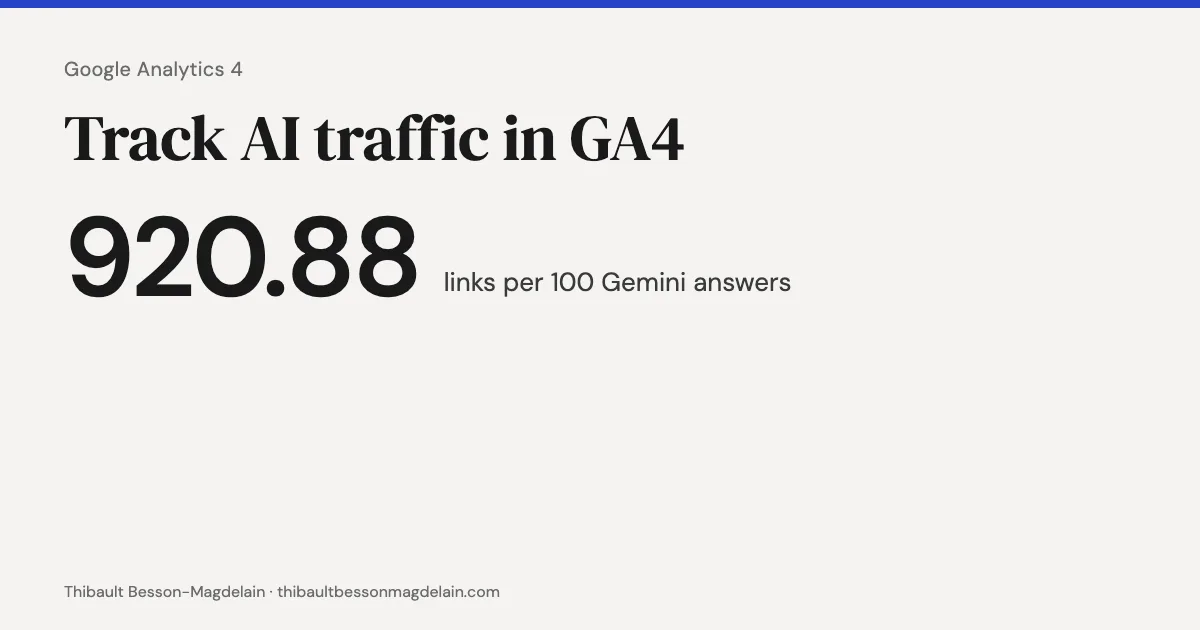
In Sorank's public data, Gemini gives by far the most links: 920.88 citations per 100 answers, so more than nine web addresses per answer on average. Grok follows with 671.53, then ChatGPT (330.14), Claude (298.87) and Perplexity (273.74). These are the links each AI gives to back the companies it recommends, over 498,158 answers collected between August 2025 and October 2026 (snapshot of 2 November 2026).
A link is not a click, so do not read this as traffic. But it tells you where clicks can come from. My take: if your AI Assistants channel shows ChatGPT and nothing from Gemini, the problem is rarely Gemini. It is usually that Gemini cites other pages than yours for your topic, and that is a visibility question, not an analytics one. The numbers also move a lot over time: ChatGPT went from 728.59 citations per 100 answers in February 2026 to 213.45 in October 2026 in the same panel, so expect your AI referrals to move without anything changing on your side.
If you want to know which pages those links point to in your market, my analysis of which sources AI cites breaks it down by model and by industry.
Which GA4 reports should you build for AI traffic?
Three views are enough: AI sessions over time by assistant, AI landing pages, and AI key events. Together they answer the only questions that matter: is it growing, which pages earn it, and does it convert.
- Trend by assistant. Traffic acquisition report, primary dimension your custom channel group, secondary dimension Session source. Compare month over month, never day by day: the volumes are small and noisy.
- Landing pages. In Explore, a free form exploration with Landing page + query string as rows and a filter Session source matches regex with the same expression. You will usually find that AI sends visitors to a handful of guides, comparison pages and the home page.
- Conversions. Add Key events and Session key event rate to the same exploration. That is the number to put in front of a manager, because it shows what an AI visit is worth compared with organic search. Sorank's free AI traffic value calculator helps you put a money value on it.
For links you control (your own posts in AI friendly places, newsletters, social bios), tag them with UTM parameters so they never fall into Direct. Sorank's UTM builder does it in a few seconds.
What AI traffic will GA4 never show you?
Three things escape GA4: Google AI Overviews and AI Mode, visits whose referrer is lost, and every answer where your brand is named but nobody clicks. The third is by far the biggest, and no analytics tool can see it.
- Google's AI features count as Organic Search. Google says so in its channel definitions. Search Console reports them in the overall Web search type, without a dedicated filter, so watch your queries and pages there. More in my guide to Google AI Overviews.
- Lost referrers fall into Direct. Some app visits and every copy and paste of your address arrive with no source. A rising Direct line on pages that AIs like to recommend is a hint, not a proof.
- Zero click answers. Pew found that users clicked a link inside Google's AI summary in only 1% of visits to pages that showed one. Assistants answer the question, name two or three companies, and the conversation often ends there. Your brand can be recommended a thousand times and show zero sessions.
That is why I treat GA4 as one half of the picture. The other half is measuring the answers themselves: ask the assistants the questions your buyers ask and record whether you are named. You can do it by hand, or with a tool built for it. Sorank's glossary entry on AI referred traffic explains the difference between the two measures.
What are the most common mistakes when tracking AI traffic?
The four I see most often: the AI channel placed below Referral, a regex that is too narrow, comparing days instead of months, and judging AI visibility on sessions alone.
| Mistake | Effect | Fix |
|---|---|---|
| AI channel under Referral | Channel stays at zero | Move it above Referral and save |
| Regex with only chatgpt | Misses Perplexity, Claude, Gemini, Copilot | Use the full list and review it every quarter |
| "gemini" without google | Catches unrelated sites | Write gemini\.google |
| Reading daily numbers | Panic over noise | Monthly view, three months minimum |
| Blocking OAI-SearchBot | No ChatGPT search visits at all | Allow it in robots.txt |
| Sessions as the only metric | Misses zero click mentions | Also track mentions in AI answers |
So, how do you track AI traffic in GA4?
Create a custom channel group, add an "AI assistants" channel with a source regex that lists the assistants, place it above Referral, and read it every month with landing pages and key events. Keep in mind that Google's AI Overviews stay in Organic Search and that most AI recommendations never produce a click. GA4 measures the visits, not the visibility.
To see the answers behind those visits, and the ones where you are missing, track your brand in ChatGPT, Gemini, Claude, Perplexity and Grok with Sorank. To measure the visibility side, read how to measure your AI share of voice.
Sources
- Google Analytics Help, "Custom channel groups": rule order, 2 groups per standard property, retroactive application.
- Google Analytics Help, "Default channel group": AI Assistant channel definition, AI Overviews and AI Mode in Organic Search.
- OpenAI, "Publishers and developers FAQ": utm_source=chatgpt.com and OAI-SearchBot.
- Pew Research Center, 22 July 2025: 8% vs 15% clicks, 1% clicks inside AI summaries.
- Sorank Data, snapshot of 2 November 2026: citations per 100 answers by AI.
FAQ
How do I see ChatGPT traffic in Google Analytics?
Open Reports, Acquisition, Traffic acquisition, set the dimension to Session source and search for chatgpt.com. For a lasting view, create a custom channel group with an AI assistants channel above Referral, using a source regex that includes chatgpt\.com.
Why does ChatGPT traffic show as Direct in GA4?
When the referrer is lost, for example in some app visits or when someone copies and pastes your address, GA4 has no source and files the visit as Direct. Links clicked in ChatGPT search usually carry utm_source=chatgpt.com, which limits the problem for those visits.
Does GA4 track Google AI Overviews separately?
No. Google classifies traffic from AI Overviews and AI Mode as Organic Search, so it cannot be separated in GA4. Use Search Console to watch your queries and pages, and a mention tracker to see whether you are cited in the AI answer.
Founder of Sorank, the SEO and GEO platform that tracks how ChatGPT, Gemini, Perplexity, Claude and Grok talk about brands. Before Sorank, I ran an SEO agency that served more than 100 clients. Based in Budapest.
Read next
-
Robots.txt for AI Crawlers: Which Bots to Allow and Block
What each AI crawler does (GPTBot, OAI-SearchBot, ClaudeBot, Google-Extended), which to allow, and a robots.txt to copy.
-
AI Share of Voice: How to Measure It, With Real Data
The AI share of voice formula, its traps, and real data where the leader changes from one AI to the next.
-
Google AI Mode SEO: Query Fan-Out and How to Get Cited
How Google AI Mode works, what query fan-out changes for your pages, and how to get cited in its answers.
Continue on AI visibility: all articles on the blog